Missing Pages
Missing Pages
- How do I export my missing pages?
- What is a missing page?
- Where do I find missing pages?
- What is the missing pages list?
- How do I search my missing pages?
How do I export my missing pages?
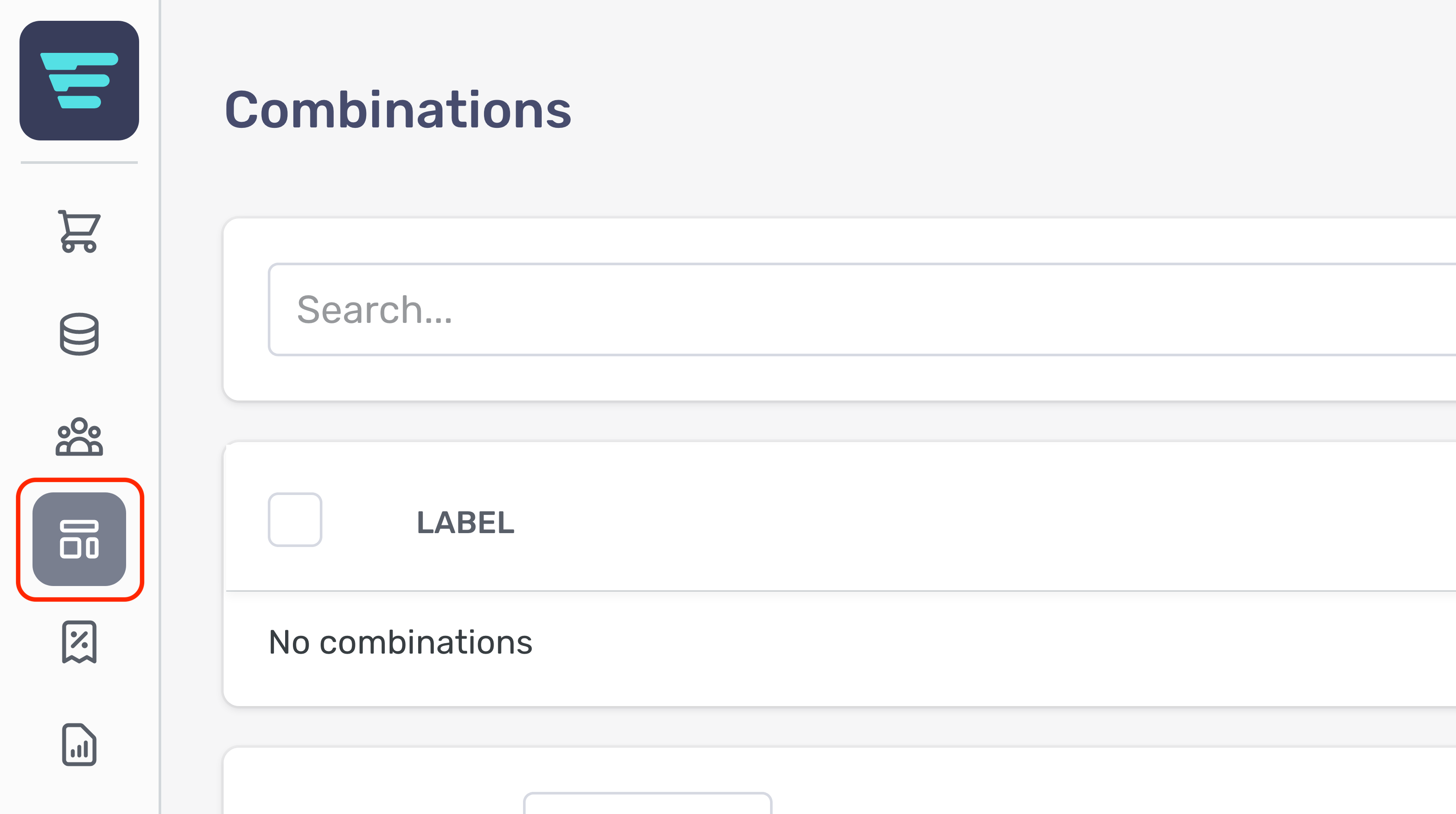
- Step 1 - Login to your Aero Admin Console - Step 2 - Hover over the 'Content Management' icon in the left hand menu
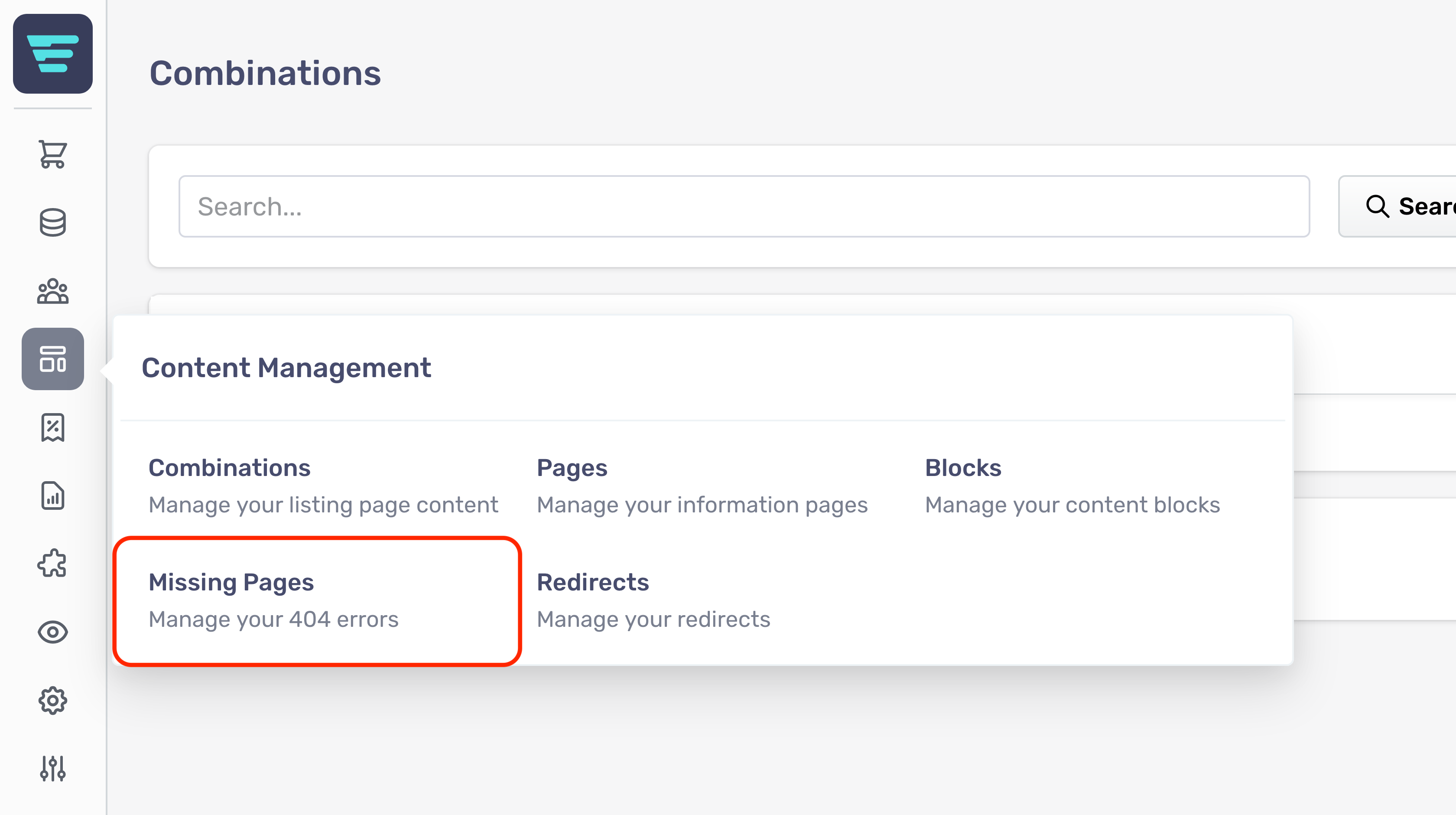
- Step 3 - Click on 'Missing Pages'
- Step 4 - Click the 'Export' button in the top right of your screen

- Step 5 – Click ‘Export as CSV’

What is a missing page?
Within Aero, Missing Pages shows you a list of URLs (within your store's domain) that users or agents have tried and failed to access.
This can be common when you replatform. Users or search engines might try to access pages that have been moved or that form part of your old structure.
You can use redirects to prevent your customers accessing Missing Pages.
Where do I find missing pages?
Your Missing Pages are located in your Aero admin console.
- Step 1: Click the Content Management button in the left hand menu
- Step 2 - Select Missing Pages from the Content Management menu

What is the missing pages list?
The missing pages list shows you a list of URLs (within your store's domain) that users or agents have tried and failed to access, along with the number of times users have attempted to access that url, the date of the last time someone tried to access it and if a redirect is in place.

How do I search my missing pages?
- Step 1 - Login to your Aero Admin Console - Step 2 - Hover over the 'Content Management' icon in the left hand menu
- Step 3 - Click on 'Missing Pages'
- Step 4 - Enter your search term in the SEARCH input at the top of the page

- Step 5 - Click 'Search'