
How do I search my manufacturers?
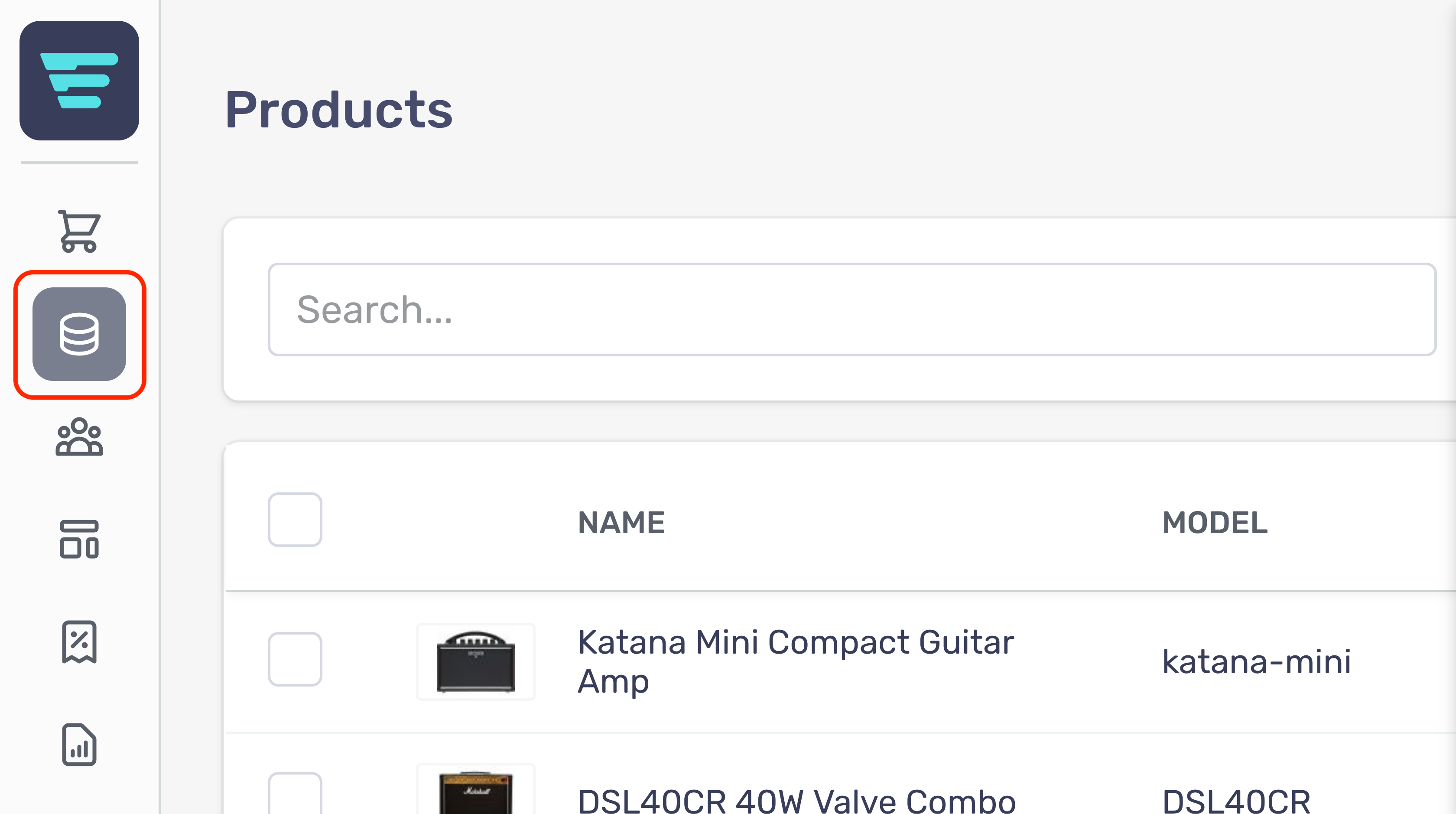
- Step 1 - Login to your Aero Admin Console - Step 2 - Hover over the 'Catalog Management' icon in the left hand menu
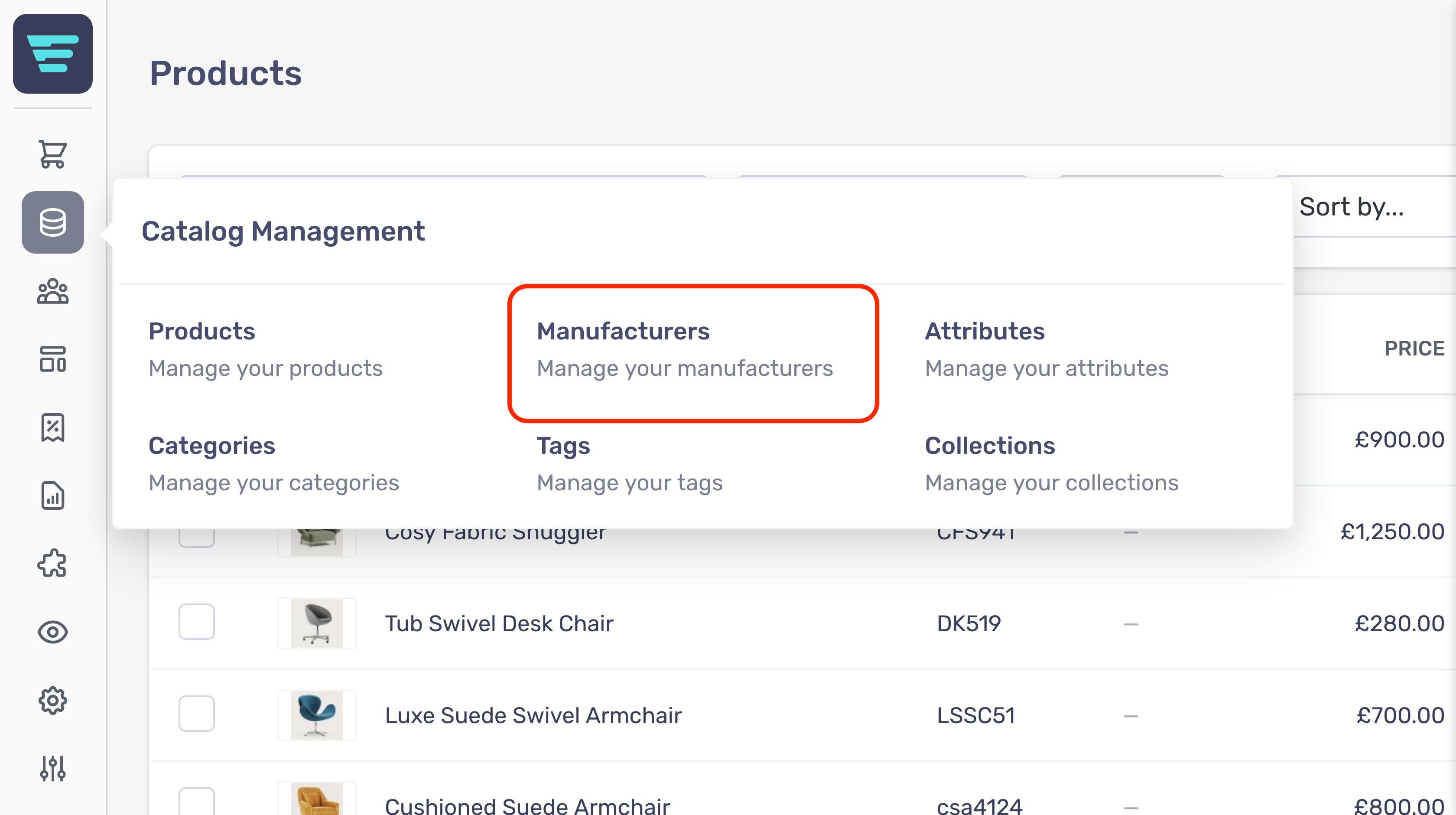
- Step 3 - Click on 'Manufacturers'
- Step 4 - Enter your search term in the Searchinput at the top of the page
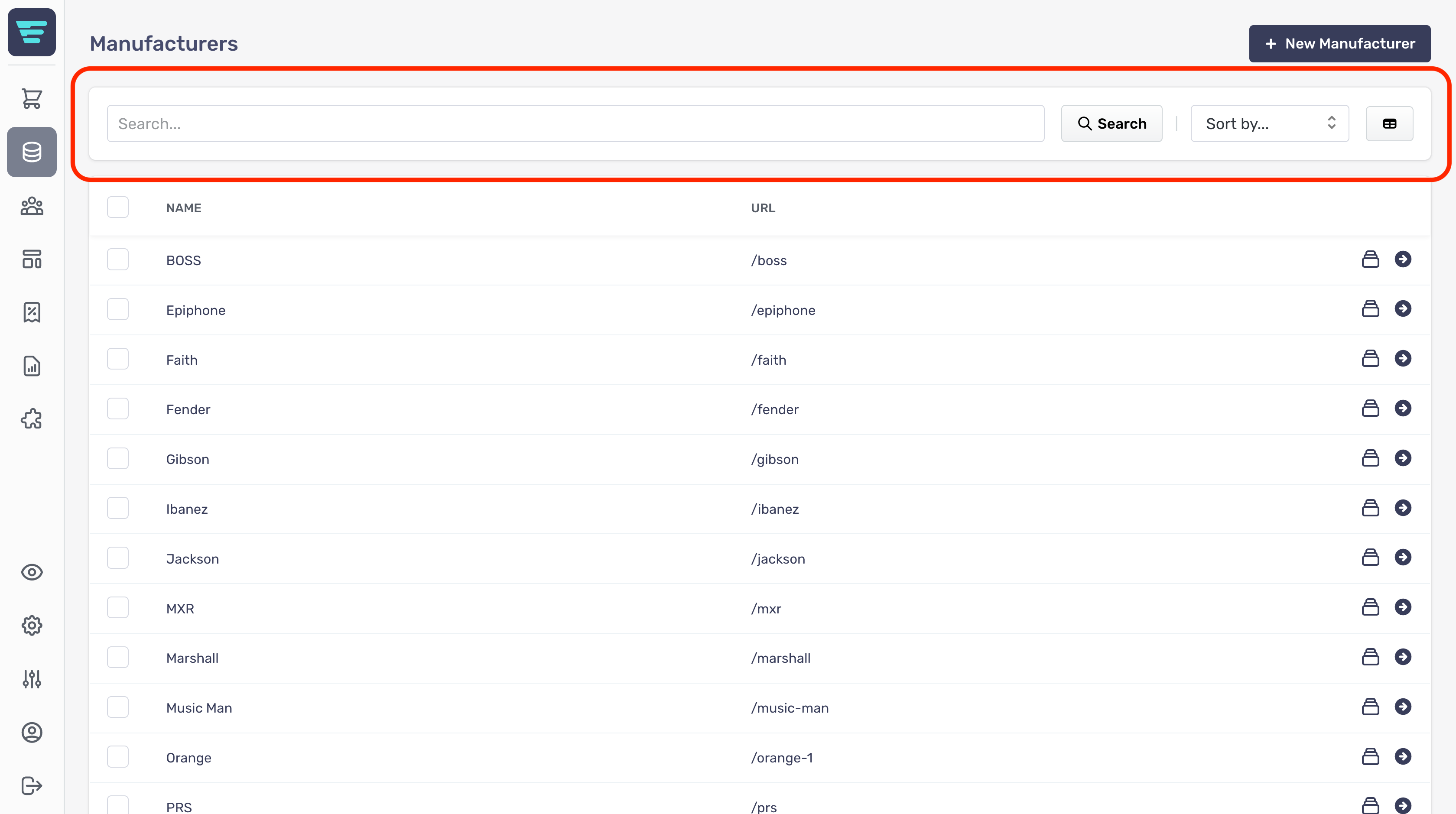
- Step 5 - Click 'Search'