Categories
Categories
- What is a category?
- Where do I find my categories?
- How do I create a new category?
- What is the categories list?
- How do I search my categories?
- How do I delete a category?
- How do I edit a category?
What is a category?
Within Aero, you can create categories and assign them to multiple products.
Categories are heirarchal with parent and child relationships, e.g:
| Parent category | Child category |
|---|---|
| Menswear | Accessories |
| Accessories | Belts |
This would give the hierarchy: Menswear » Accessories » Belts
Where do I find my categories?
Your categories are located in your Aero admin console.
- Step 1 - Click the Catalog Management button in the left hand menu

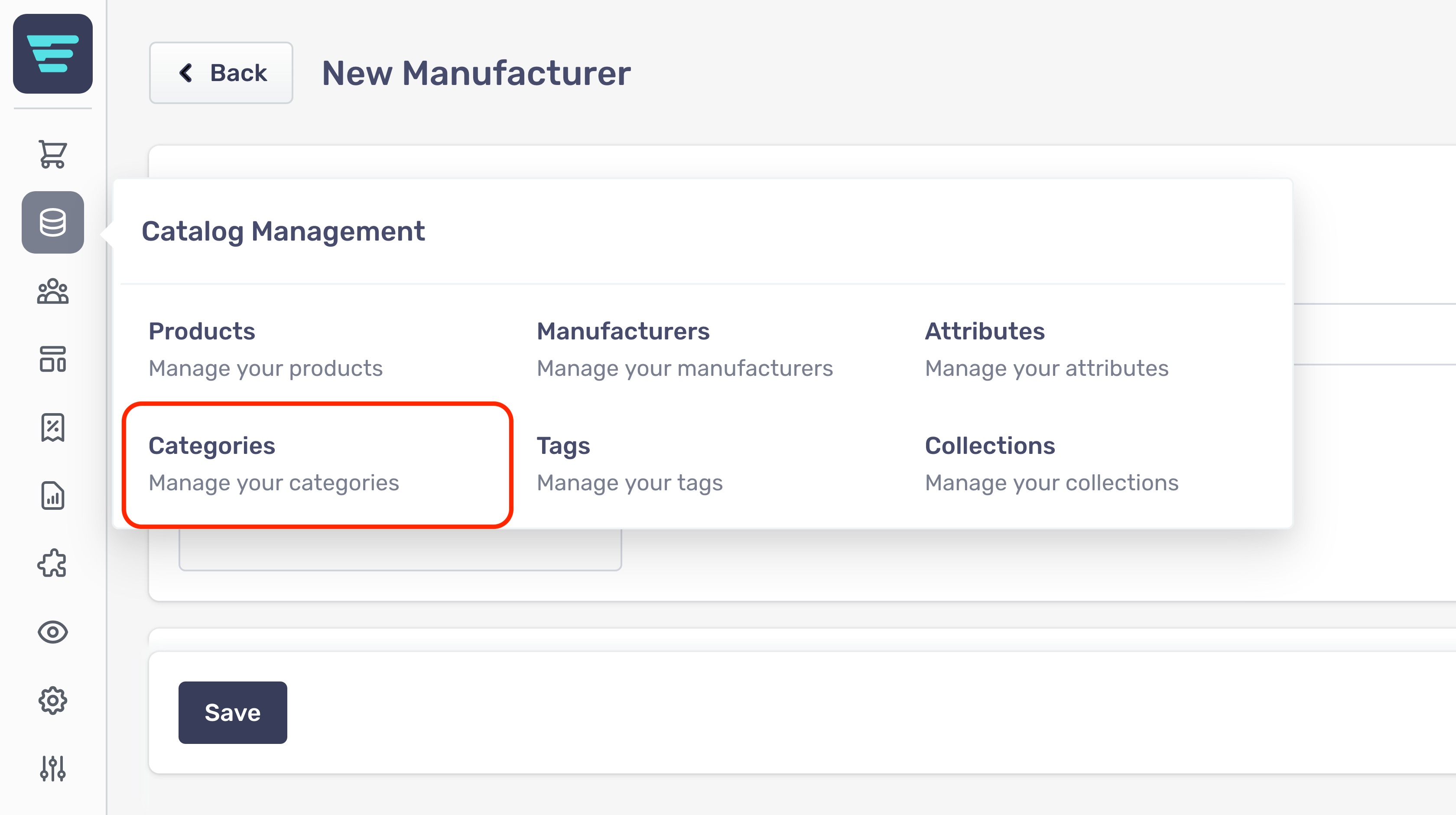
- Step 2 - Select Categories from the Catalog Management menu

How do I create a new category?
In order to create a new category first navigate to the attributes listings page and click the "+ New Category" button at the top of the page.

From here you will be presented with the form for creating a new category.
The form is grouped into sections with non-required sections collapsed.
Category Information
First up is the category information;
- Name- The main identifier for you category. Namewill be shown on the category page and on the associate product pages and listings - depending on your theme/configuration. - Parent Category- Select from the existing categories by typing the first few letters of the category name. Leave blank if this is going to be a top-level category. - Tags- Select any tags from the selection box - start by entering the first few letters of the tag - Featured Image- Optional - Add an image using drag and drop, or clicking, on the Drop image box. The use of this image in the storefront will depend on the your theme/configuration.
Listing Page Content
The content entered here will be used to populate certain content areas depending on your theme/configuration.
- Summary- Enter a shorter summary of your category - Description- Enter a detailed description of your category - Images- Optional - Either drag your category image file(s) into the box or click to browse files. The images section is broken down into 3 sections allowing you to provide different sized images for different screen sizes.
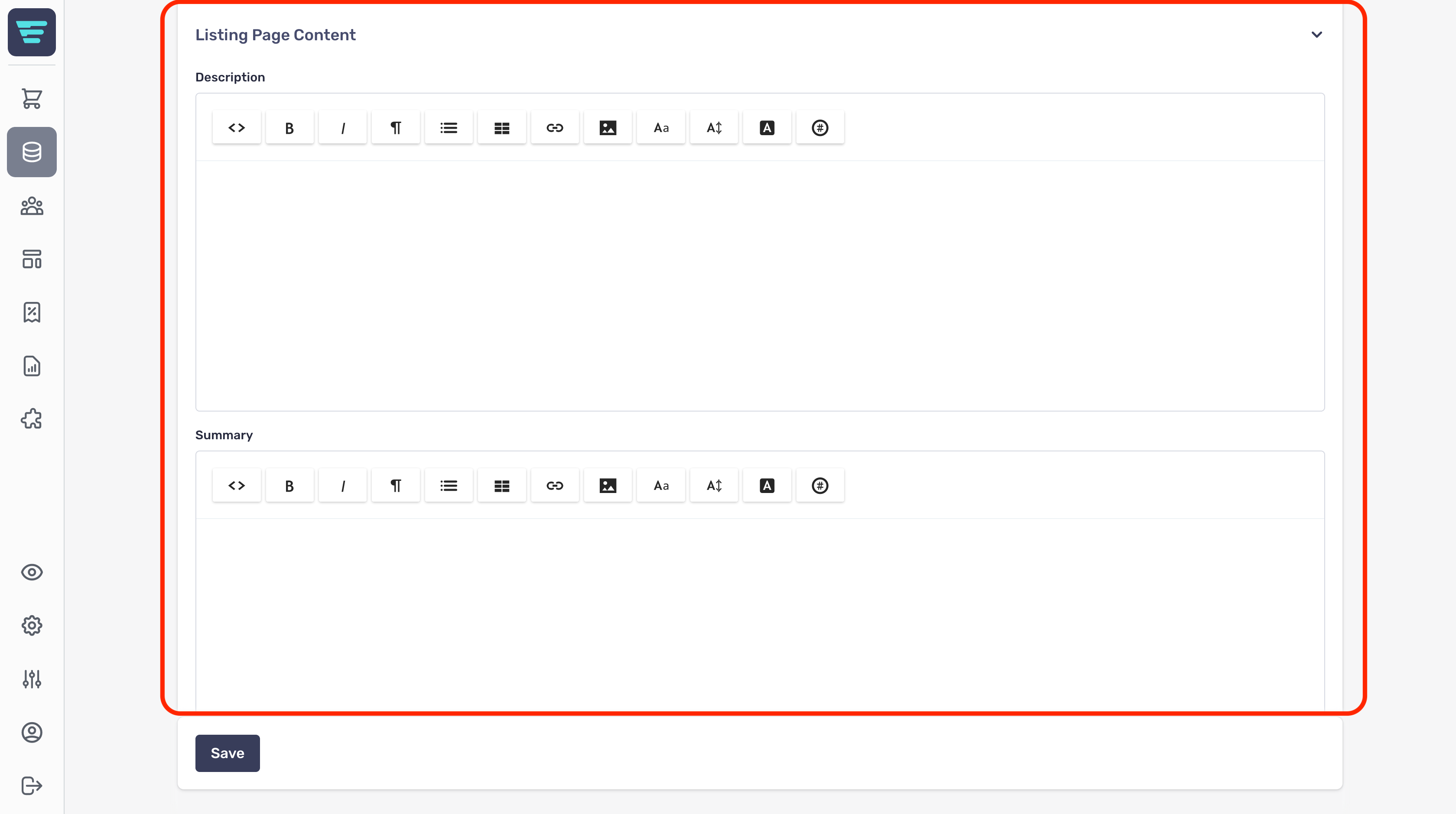
Both Summaryand Descriptionprovide the following inputs for controlling the content and layout;
- Bold- Embolden selected text - Italic- Italicise selected text - Format- Select from a range of standard formats. - Lists- Select bulletted or numbered lists, and change indent level. - Table- Insert and control a table (supports all standard table operations). - Link- Link or unlink - When you add a link you can choose to open in new tab - useful if the link points away from your storefront. - Image- Add an image by drag and drop or file selection. - Font- Choose from existing fonts or remove a font. - Size- Choose from existing font sizes or remove a font size. - Text Colour- Choose text or highlight colour to apply - select none to remove text or highlight colour that has already been applied. - Properties- Allows you set CSS Class and ID properties - this is advanced functionality for those comfortable working with CSS. - Main text area- This is where you enter you category description - the detailed category text that your customers will see.
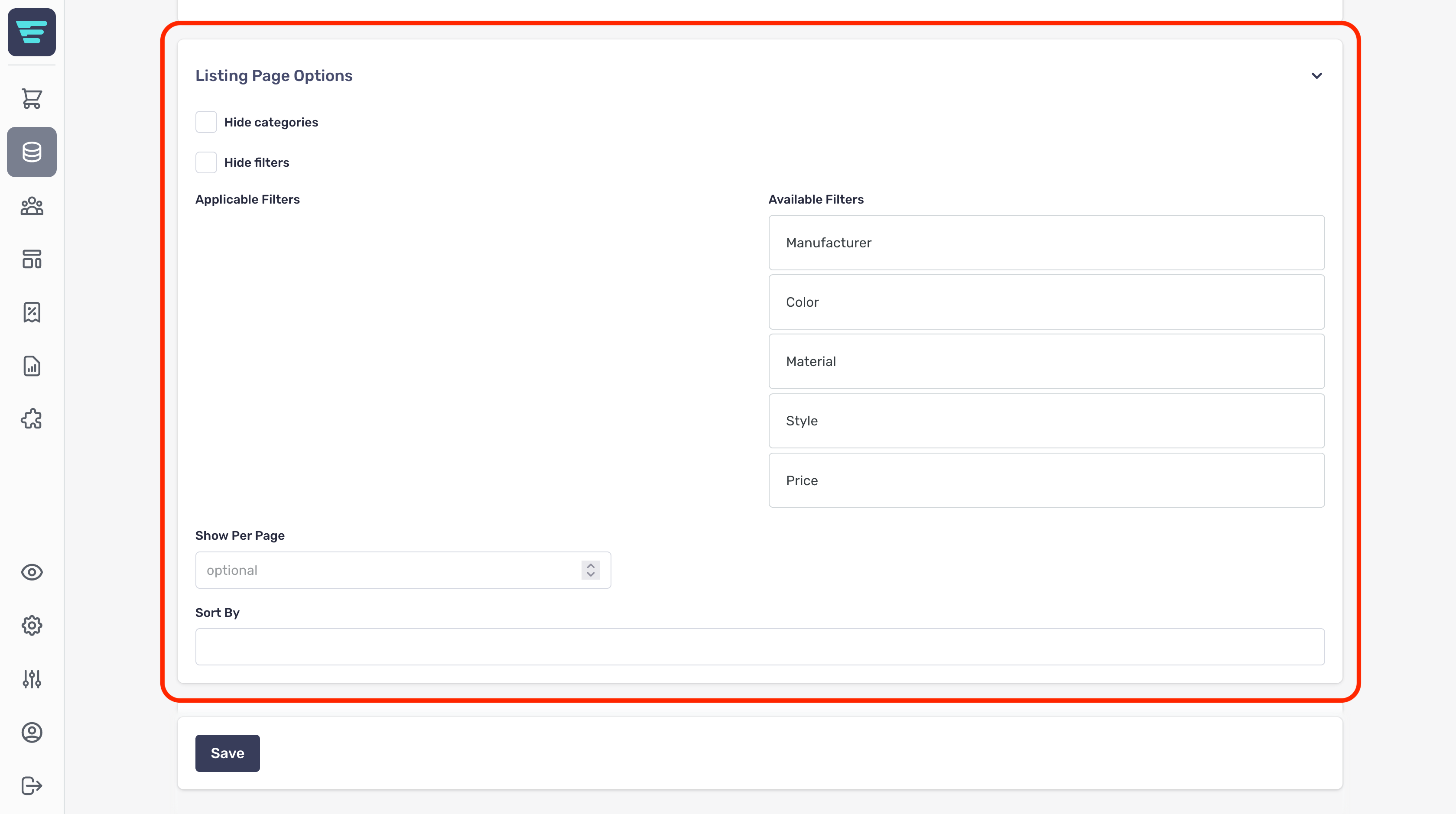
Listing Page Options
This section allows you to control the products shown on this page by applying various filters;
- Hide categries- Select this to hide categories from your filters list - Hide filters- Select this to hide categories from your filters list - Applicable & available filters- Drag filters from available filtersto applicable filtersto add them to your category page - Show per page- Enter the number of listings to show on this category page - Sort by- Select the 'sort by' options that will be displayed on this category page
Search Engine Optimization (SEO)
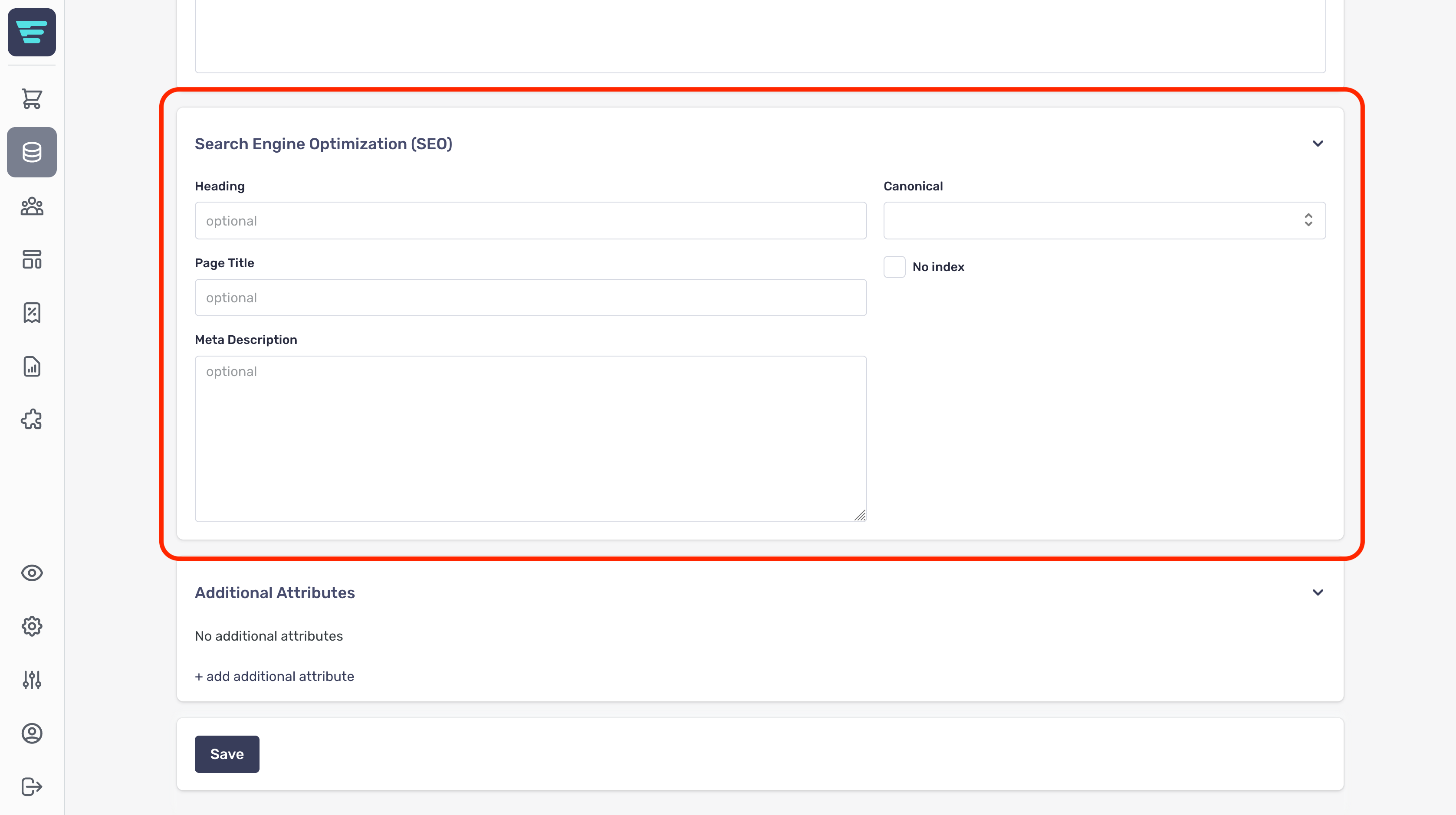
The SEO section is where you manage the content used by search engines to index your store.
SEO is an important aspect when it comes to customers finding your store when searching for products you're selling.
The SEO section has a number of fields for you to complete;
- Heading- this is the category name and will be the main heading in most themes. - Page title- used by search engines as the title of this page. - Meta description- combined with the page title and displayed as the search engine listing description. - Canonical- used to determine relationships when multiple pages share duplicate content - No index- checking this box will direct search engines to not index this page.
Additional Attributes
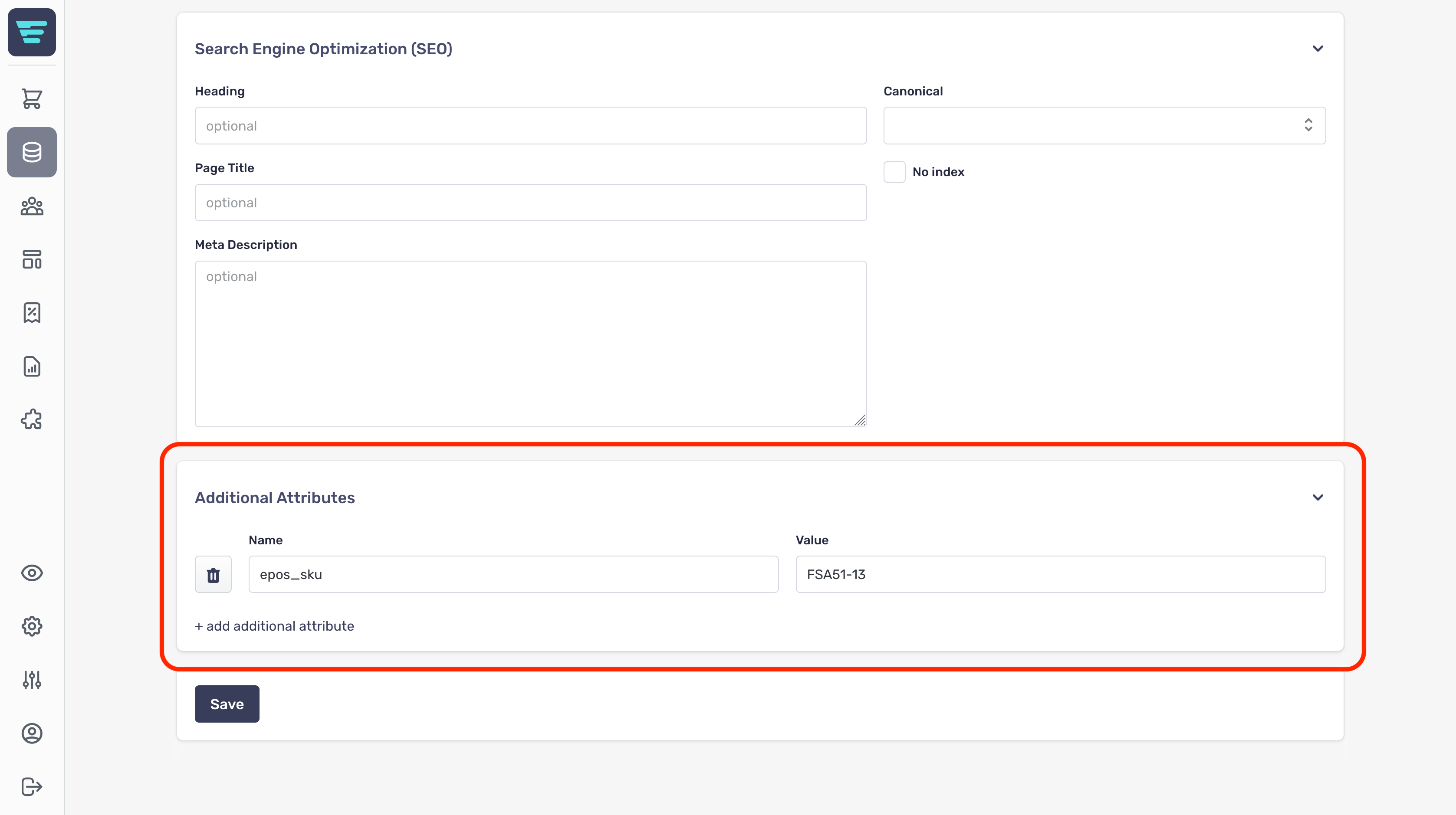
The additional attributes section is used to provide custom fields, these may have been set up by your agency and used to display additional information about your category.
Category attributes are not the same as product attributes
Additional attributes are useful if Aero does not contain a certain attribute that you require, e.g. for integration with an ePos system.
What is the categories list?
The categories list is nested, which makes it slightly different to other lists within Aero catalog management.
- To see child categories, click on the '>' to the left of the category name - To see the category details, click on the circular arrow icon or the name of the category
This is an example of a top level categories list;

This is an example of a category page with the some top level categories expanded;

How do I search my categories?
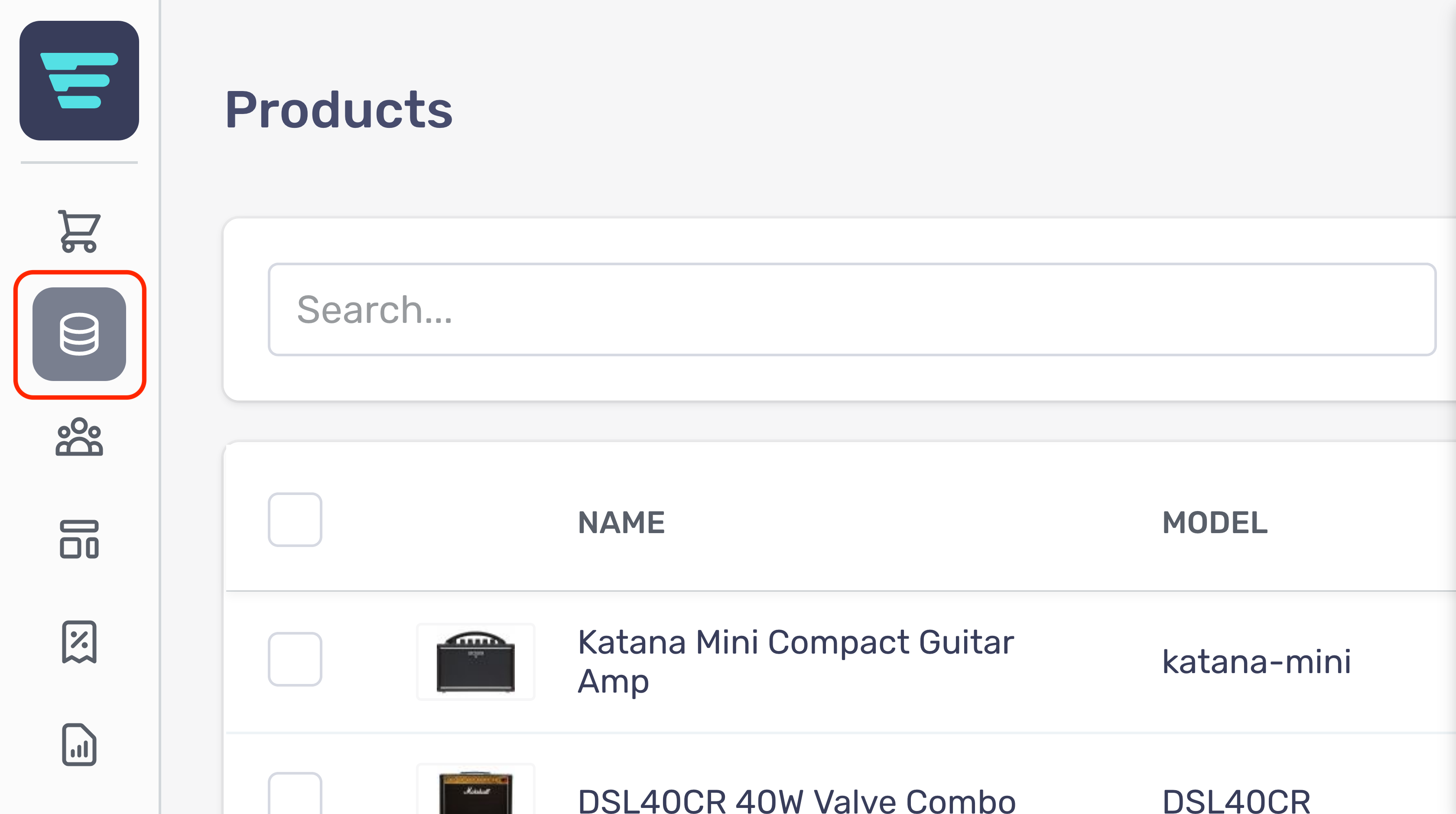
- Step 1 - Login to your Aero Admin Console - Step 2 - Hover over the 'Catalog Management' icon in the left hand menu
- Step 3 - Click on 'Categories'
- Step 4 - Enter your search term in the Searchinput at the top of the page

- Step 5 - Click 'Search'
How do I delete a category?
Deleting manufacturers cannot be undone
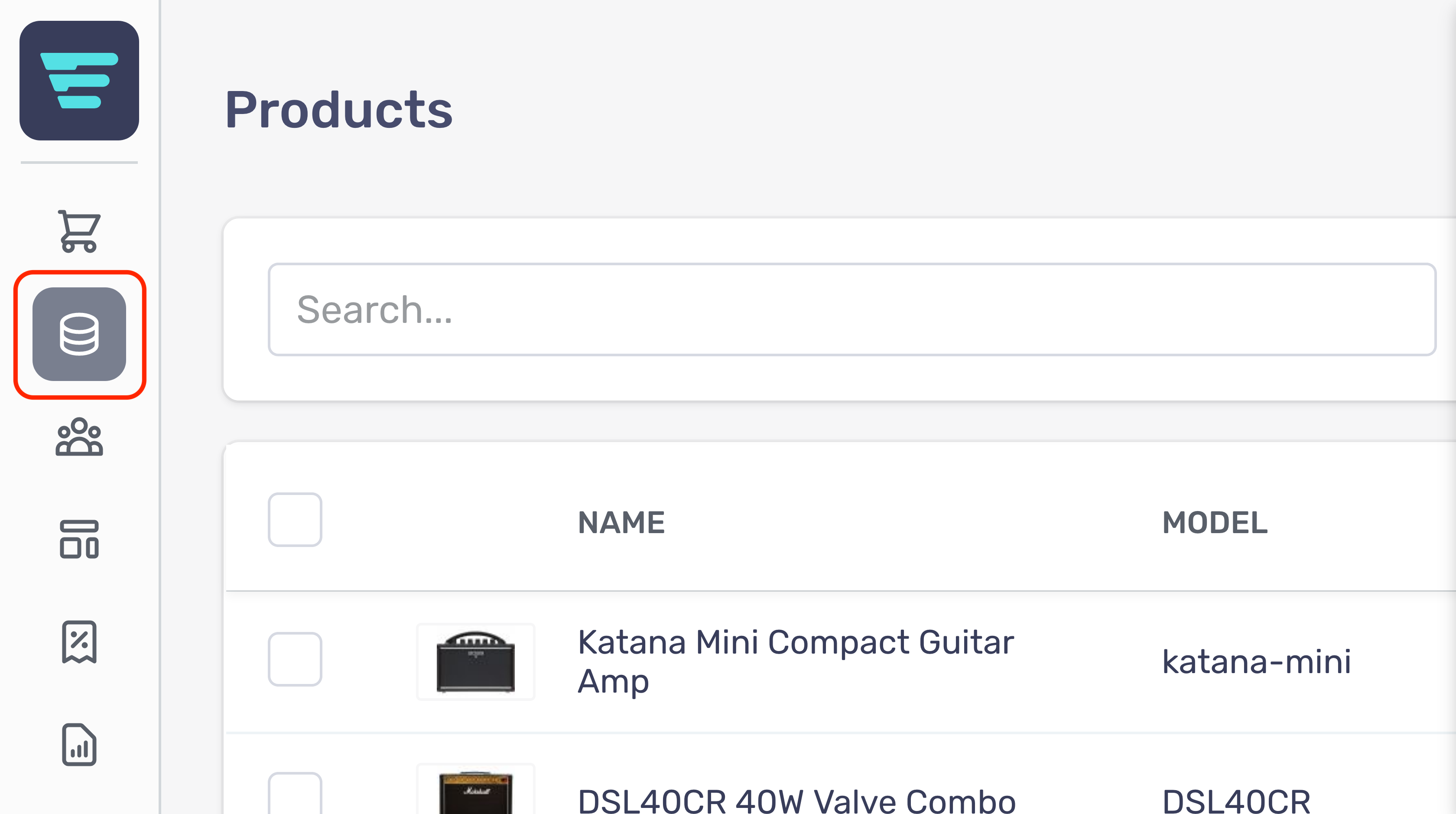
- Step 1 - Login to your Aero Admin Console - Step 2 - Hover over the 'Catalog Management' icon in the left hand menu
- Step 3 - Click on 'Categories'
- Step 4 - Search for the category/categories you would like to delete (more information here; "How do I search my categories? - Step 5 - Select the category/categories you would like to delete by click their checkbox(es)

- Step 6 - Select 'Delete categories' from the 'Select a bulk action' dropdown - Step 7 - Click go - A confirmation tick will appear when your bulk action has been completed
How do I edit a category?
- Step 1 - Login to your Aero Admin Console - Step 2 - Hover over the 'Catalog Management' icon in the left hand menu
- Step 3 - Click on 'Categories'
- Step 4 - Search for the category you would like to edit (more information here; "How do I search my categories? - Step 5 - Click on the category NAME or arrow icon - Step 6 - Edit or enter the necessary information for your category - (more information here; "How do I create a new category? - Step 7 - Click the 'Save' button in the bottom left of your screen